Who owns your LMS when someone else builds it?
Ownership of an LMS built by a provider comes down to four things: the platform, licences, accounts and server. Here is how to check each, and what to ask.

Aneslin Bala Founder and CEO, Balanita
Published
Updated
8 min read
When someone else builds your LMS, ownership comes down to whose name is on four things: the platform, the licences, the cloud account and the admin logins. At Balanita, all four are yours. We build and run the LMS on your accounts, and we hand over every credential when the project closes.
The usual way to lose control of an LMS is quiet. A licence is bought in the builder’s name because it was quicker that day. The server sits in the builder’s account. Nothing goes wrong for two years. Then the contract ends, and the platform your team uses every day turns out to belong to someone else. People call this vendor lock-in.
We do not have a sourced figure for how often that happens, so we will not invent one. What we can do is show you how to check, and how we set ownership up ourselves. If the term managed LMS is new to you, start with what a managed LMS is and what the provider does each month.
What are the four things you can own in an LMS project?
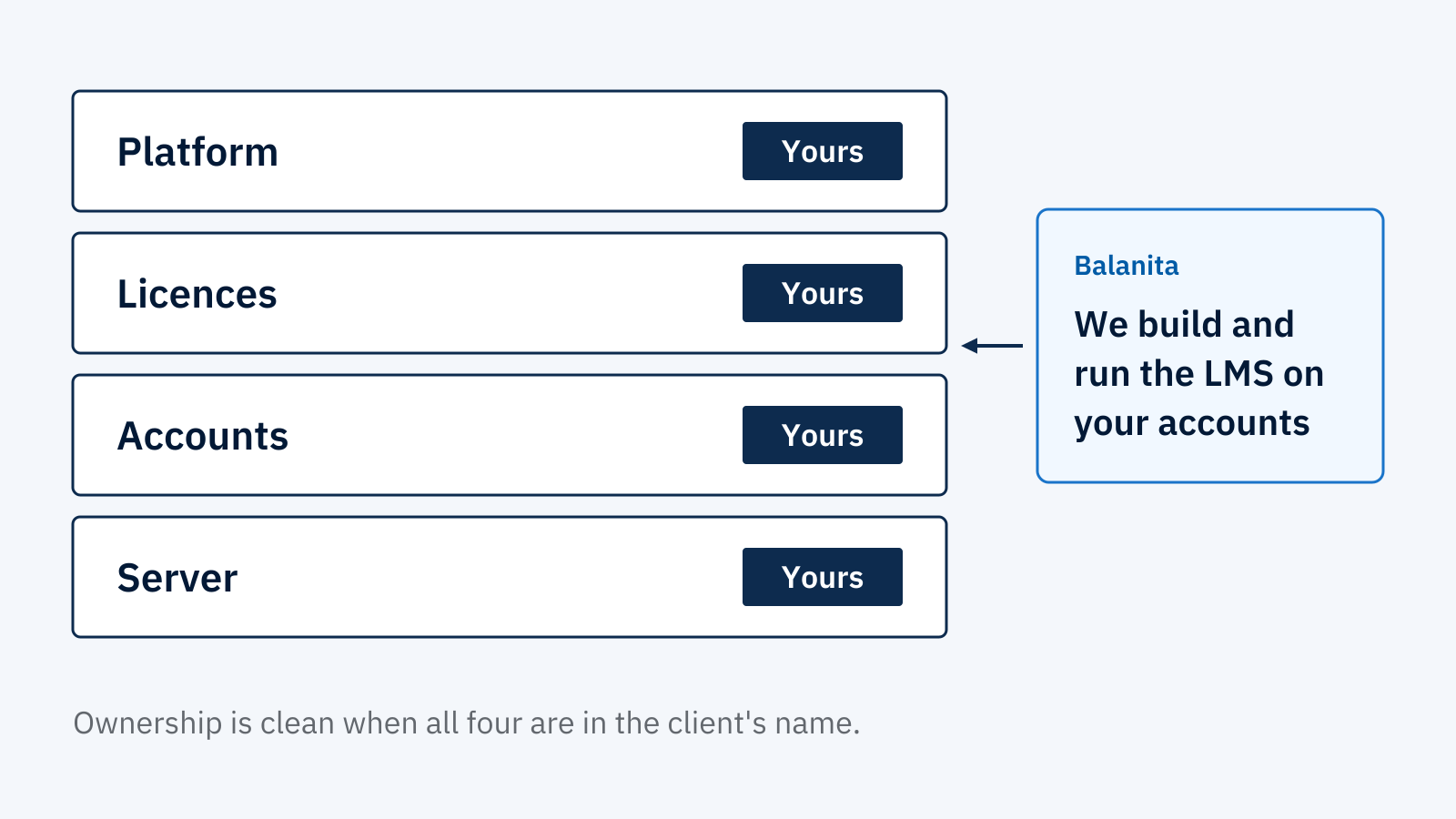
An LMS project has four layers you can own: the platform itself, the licences for its plugins, theme and tools, the accounts those sit under, and the server it runs on. Ownership is clean when all four are in the client’s name. It is not when any one of them sits with the builder.
Swipe sideways to see every column.
| Layer | What it is | Whose name it should be in |
|---|---|---|
| Platform | The LMS software, built and configured for your training need | Yours. You approve the platform recommendation before the build starts. |
| Licences | The paid plugins, theme and tools the platform needs | Yours. Each is bought directly from the vendor, in your name. |
| Accounts | The cloud account, plus the accounts for any tools in the build | Yours. The builder works on your accounts. |
| Server | The infrastructure the LMS runs on | Yours. Your cloud account or your own servers. Balanita does not own or resell servers. |
A rented platform works differently. There the vendor owns the platform by design, and that is the deal you accept. This guide is about projects where someone builds a platform for you.
How does ownership work for the platform and its licences?
You approve the platform before we build on it. We recommend one platform, explain why it fits your requirements, and show every plugin, theme and tool with its purpose and licence cost. You buy each licence directly from the vendor, in your name. We do not buy or hold licences for you.
Here is where the decisions sit in a Balanita Launch project:
- Discovery call. We ask what you are trying to fix. No platform is named.
- Written requirements summary. You approve it before the build starts.
- Platform recommendation. One platform, with the reasons, including your expected peak number of users. You approve it.
- Plugin, theme and tool selection. You see each one, its purpose and its licence cost. You approve them.
- Licence purchase. You buy each licence from the vendor, in your name.
- Build and configuration. We work on your accounts.
- Handover. All credentials and admin access go to you at project close.
Renewals come later. Under Balanita Manage, we track every renewal date and remind you before each one. You pay the renewal, in your name. To make this work, you need a company account and a payment method ready before the licences are bought.
Who owns the cloud account and the server?
You do. The server runs on infrastructure you own, usually a cloud account such as AWS, Microsoft Azure, Google Cloud or DigitalOcean, in the region you choose. You pay the cloud provider directly, with no markup from Balanita. Balanita manages the server under Balanita Server Management but does not own or resell it.
Swipe sideways to see every column.
| Your cloud account, managed by Balanita | Your own servers | |
|---|---|---|
| What it is | The server sits in a cloud account you own. You choose the provider and the region. | Servers that you own and run. |
| Who pays | You pay the cloud provider directly. | You. |
| What Balanita needs | Access to manage the account, and a payment method on the account that you hold. | Minimum specifications and full administrator access. |
| Response commitment | Standard commitments apply. | Reduced response commitment. |
| Underlying infrastructure uptime | Your cloud provider’s service level agreement. | Your own team. |
Because the account is yours, you can choose any region your provider offers, including regions where Balanita has never operated. We confirm the provider and region at scoping, then size and secure the server for it. We also need access to your domain’s DNS settings, so we can point your site at the server.
What does Balanita hold, and what do you hold?
Ownership and access are different things. You own the platform, licences and accounts. Balanita holds working access to manage them, because we cannot patch, back up or support what we cannot reach. You keep your own administrator logins, handed over at project close. Server access is limited to Balanita’s own experts.
Swipe sideways to see every column.
| Item | Who owns it | Who has working access |
|---|---|---|
| LMS administrator logins | You | You, and Balanita while it manages the platform |
| Cloud account | You | Balanita, to manage the server |
| Licences | You | Balanita tracks the renewal dates. You pay. |
| Domain DNS settings | You | Balanita, to point your site at the server |
What happens if you leave?
The platform is yours, so you can take it with you. If you ever want to move it, we facilitate a clean handover. Contract terms still apply while you are inside them: Manage has a 12-month minimum, and Server Management on its own is cancelled with 30 days written notice on monthly billing.
Two terms deserve plain words. Cancelling Manage before the 12-month minimum ends does not end the payment obligation for the remaining committed months. And prepaid amounts are not refunded for early cancellation. Both are in the contract and on our service pages. Any provider should show you its equivalent before you sign.
What if another provider already built your LMS?
Check the four layers first. Find out whose name is on the licences, who holds the cloud account and who has the administrator logins. If any sit with the previous builder, transferring them comes before anything else. Balanita runs a free platform audit before taking over an existing LMS.
The audit checks configuration, security, plugin health and existing learner data. If the platform meets our standard, the monthly service starts the following month. If it needs remediation, we scope and quote that before we proceed. Platforms hosted by a third-party software vendor are reviewed case by case.
What should you ask an LMS provider about ownership before you sign?
Ask seven things in writing: whose name is on each licence, who holds the cloud account, who has administrator logins, who pays each bill, whether the provider marks up any cost, what happens to the platform if you leave, and whether the contract spells out who owns what. Vague answers to any of them are a warning.
Swipe sideways to see every column.
| Question | A clean answer | Balanita’s answer |
|---|---|---|
| Whose name is on each licence? | Yours | Yours. You buy each licence directly from the vendor. |
| Who holds the cloud account? | You | You. Balanita manages it but does not own it. |
| Who has the administrator logins? | You | You, handed over at project close. Balanita keeps working access to manage the platform. |
| Who pays each bill? | You pay licences and the cloud bill directly | You pay licences and the cloud bill directly. Balanita bills only for its own services. |
| Does the provider mark up any cost? | No | No. Licences and the cloud bill are paid directly, so there is nothing to mark up. |
| What happens if you leave? | The platform stays with you | The platform is yours. We facilitate a clean handover. |
| Is it written in the contract? | Yes, in plain terms | Every contract includes a responsibility matrix that states who owns what. |
What does ownership not mean?
Ownership comes with chores. You hold the company account and payment method for licences and the cloud bill, you name a key contact and a technical administrator, and you supply the content. Underlying infrastructure uptime stays with your cloud provider’s service level agreement, not with Balanita.
Third-party subscriptions are yours as well: external video hosting, content delivery networks, email delivery services and similar tools. You pay them directly.
We think the trade is worth making, but it is a trade. A builder that holds everything is easier to deal with on day one. You pay for that convenience later, at the moment you want to leave.
What should you bring to a discovery call?
Bring your IT policy if you have one. On the free 30-minute call we ask where your server has to sit, which cloud provider you use and who signs off the project, and we tell you honestly if we are not the right fit. No platform is named on the call. A written summary of the call and our recommendation follows by the next working day. If you go ahead, the exact scope, deliverables and first-year cost are confirmed in writing before any payment.
Frequently asked questions
Who owns the LMS if an agency or vendor builds it?
It depends on whose name the licences, accounts and server are in. Ask before you sign. At Balanita, the client owns the platform, every licence and every account, and we build on those accounts. The contract includes a responsibility matrix that states who owns what.
Does Balanita buy licences for me?
No. We recommend the plugins, theme and tools and show each one's purpose and licence cost. You buy every licence directly from the vendor, in your name. We track renewal dates under Balanita Manage and remind you before each one. You pay the renewal.
Does Balanita mark up the cloud bill?
No. You pay your cloud provider directly. Balanita does not mark up or resell the cloud bill, and does not own or resell servers. Our fee is for managing the server. Server Management is priced separately by active learner band, and the figures are on the pricing page.
What if I want to move my LMS to another provider later?
The platform is yours, so you can take it with you. We facilitate a clean handover. Check your contract first: Manage has a 12-month minimum, and prepaid amounts are not refunded for early cancellation. Server Management on its own needs 30 days written notice on monthly billing.

Written by
Aneslin Bala
Founder and CEO at Balanita. Leads strategy and client engagements at Balanita, which he founded in 2012.
Aneslin Bala on LinkedIn