Why manage the LMS server separately from the platform?
The LMS server and the LMS platform are different jobs. See what each covers, how the clocks differ, how to tell them apart and what each costs.

Balanita team Analysts, developers and support engineers
Published
Updated
10 min read
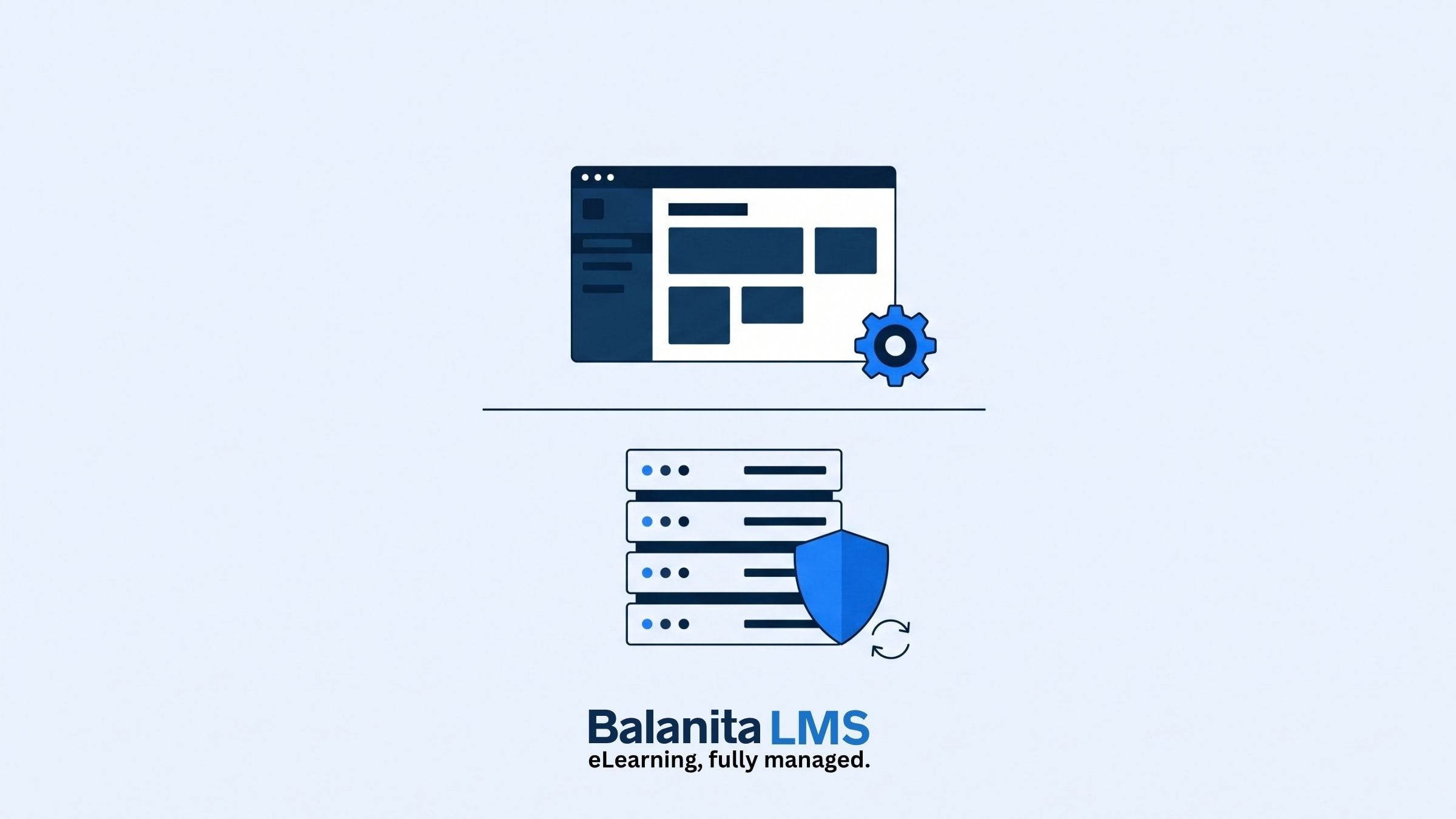
The server and the LMS are two different jobs. The server needs security patches and backups, watched around the clock. The LMS needs tested updates and support from people who know your platform. Managed separately, each job is visible and priced on its own, and you can change one without touching the other.
When an LMS slows down at the wrong moment, the first problem is working out whose problem it is. The server team says the server is fine. The platform team says the platform is fine. Both can be right, and the learners still wait.
That gap is why Balanita runs the server and the platform as two services with a written line between them. This post explains where the line falls, how to use it and what each side costs. It builds on what a managed LMS is and what the provider does each month.
What is the difference between the server and the LMS?
The server is the computer, real or virtual, that the LMS runs on. The LMS is the software and course content on top of it. The server layer covers the operating system, web server, security patches and backups. The platform layer covers the LMS itself, its plugins and theme, your courses and your learners.
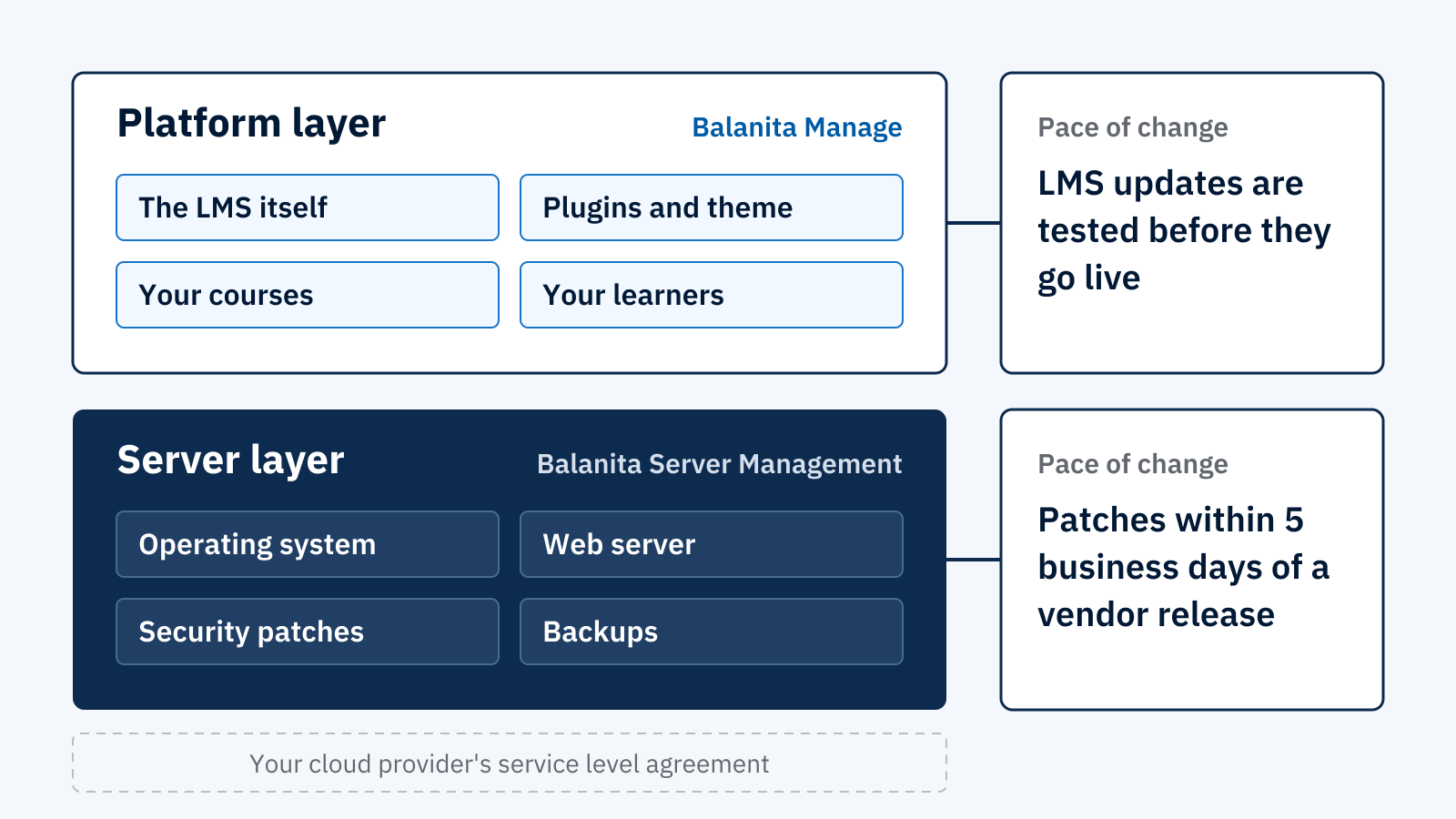
At Balanita, those layers map to three services, each priced and contracted on its own:
Swipe sideways to see every column.
| Service | Layer | What it covers | Type |
|---|---|---|---|
| Balanita Launch | Build | Builds and configures the LMS around your training need. Does not include the server. | One-time project |
| Balanita Manage | Platform | LMS core, plugin and theme updates, bug fixes, support, a monthly performance review and one minor change a month. | Monthly, 12-month minimum |
| Balanita Server Management | Server | Operating system and web server care, security patches, firewall and hardening, SSL renewals, monitoring and backups. | Monthly, no minimum on its own |
During a Launch project, Balanita provides the build environment at no extra cost. Your own server and Server Management fees start at go-live. You own the server in every case, either a cloud account in your name or your own hardware. Balanita manages it and does not own or resell it. Here is who owns each part of an LMS when someone else builds it.
Why do the server and the platform run on different clocks?
Server risks move fast and are mostly the same for every site. Platform risks are specific to your plugins, courses and users, so changes need testing first. At Balanita, server security patches go on within 5 business days of a vendor release, 48 hours if the flaw is being actively exploited. LMS updates are tested before they go live.
The reasoning is simple. A server patch fixes software that many sites share, and waiting leaves a known hole open. An LMS update touches your own plugins, theme and courses. A bad one breaks a live course, so it gets tested first. One layer rewards speed. The other rewards care. Putting both under one schedule means one of them is always wrong.
Swipe sideways to see every column.
| Server layer | Platform layer | |
|---|---|---|
| Pace of change | Patches within 5 business days of a vendor release. Within 48 hours for an actively exploited vulnerability. | Core, plugin and theme updates tested and checked for compatibility before they go live. |
| What goes wrong | An expired certificate, a missed patch, a failed backup, a disk running short. | A plugin conflict after an update, a broken course, a single sign-on fault. |
| How it is watched | Automated uptime monitoring around the clock. Processor, memory and disk use tracked. | Broken link and course content checks. Support tickets and learner issues. |
| Reporting | Monthly server summary by the 5th of the following month. | Monthly written performance review by the 5th of the following month. |
| Who answers for uptime | Your cloud provider’s service level agreement covers the infrastructure. Balanita answers for patching, monitoring, backups and response. | Balanita answers for updates, fixes and support within your support window. |
How do you tell which layer a problem belongs to?
Match the symptom to the layer. Certificate warnings, missing backups, full disks and unpatched systems belong to the server. Broken courses, plugin conflicts, permission problems and single sign-on faults belong to the platform. A site that is down is a critical incident, actioned within 2 business hours.
Swipe sideways to see every column.
| What you notice | Layer | Who handles it |
|---|---|---|
| Browsers warn that the site’s certificate has expired | Server | Server Management. SSL certificate renewals are included. |
| A course stopped working right after an update | Platform | Manage. Updates are tested before going live, and bug fixes are included. |
| You need yesterday’s version of the site back | Server | Server Management. Daily backups are kept for 14 days, and restoration is on request within 4 business hours. |
| An administrator needs a password reset or a permission change | Platform | Manage. Handled the same day. |
| The server is running short of memory or disk | Server | Server Management. Resource use is tracked, and resizing guidance comes when your band changes. |
| A security patch is released for the operating system | Server | Server Management. Applied within 5 business days, or 48 hours if actively exploited. |
| Single sign-on stops working | Platform | Manage. Faults in the single sign-on and integrations we built are investigated and fixed. |
| Your cloud provider announces maintenance on its own infrastructure | Both | The provider notifies you directly. You forward the notice to us, so we can prepare your site. |
When one team holds both services, the question of whose problem it is does not need an answer first. That team triages. When two providers hold them, you coordinate, using the responsibility matrix that every Balanita contract includes.
What does it cost to manage the server separately?
At Balanita, Server Management is US$ 150 a month for up to 500 active learners and US$ 300 a month for 501 to 1,500. Manage is priced on the same bands. Larger bands are quoted. You can buy either service alone. Annual prepayment gives 12 months for the price of 10, on either service or both.
Prices are in US dollars and exclude taxes. Both services are priced by active learners. An active learner is anyone who logs in at least once in the billing month. There is no per-seat billing.
Swipe sideways to see every column.
| Band | Active learners | Manage, a month | Server Management, a month | Server Management, annual prepayment |
|---|---|---|---|---|
| A | Up to 500 | US$ 450 | US$ 150 | US$ 1,500 upfront, effective US$ 125 a month |
| B | 501 to 1,500 | US$ 950 | US$ 300 | US$ 3,000 upfront, effective US$ 250 a month |
| C | 1,501 and above | Quoted on request | Quoted on request | Quoted on request |
Server Management is billed monthly on the 1st from go-live, or as annual prepayment. Prepaid amounts are not refunded for early cancellation. Your band is reviewed every quarter, and a move applies from the next billing month.
Not included in the Server Management price:
Swipe sideways to see every column.
| Item | How it is handled |
|---|---|
| The cloud bill | Paid by you directly to your provider. Balanita does not mark it up or resell it. |
| Platform, plugin and theme licence fees | Paid by you directly, in your name. |
| Third-party service subscriptions | External video hosting, content delivery networks, email delivery services and similar. Paid by you directly. |
| Standby servers or multi-region failover | Not part of the standard service. Quoted separately after we review the scope. |
| Migration from your current host | Scoped and quoted after a review of the current setup. |
The Balanita pricing page has the full list, last updated on 25 September 2026.
What are the downsides of managing the server separately?
There are two. You see a second line on the invoice, and when a fault could sit in either layer, someone has to work out which. If one team holds both services, that team does the sorting. If you split them across providers, you do it, using the responsibility matrix in your contract.
A single bundled price is simpler to buy. It is also harder to read. You cannot tell what you pay for the server work and what you pay for the platform work, so you cannot compare either against another provider, and you cannot change one without renegotiating both. We chose the split over the simpler invoice.
One more limit, stated plainly. Separating the server does not make it more reliable by itself. It makes responsibility clear. The uptime of the underlying server and network belongs to your cloud provider, under its own service level agreement, or to your own team if you use your own servers. We commit to patching, monitoring, backups and response times, not to the infrastructure itself.
When does it make sense to take Server Management on its own?
Take Server Management alone when your own team can run the LMS day to day but you do not want to patch, back up and watch a server. You then handle LMS updates, learner issues and maintenance in-house. Add Manage later if the workload grows.
This is one of the two paths after a Launch project. At handover you choose between them, and in both, server management continues, because the platform runs on a server you own:
Swipe sideways to see every column.
| Path | What you do | What you pay Balanita for |
|---|---|---|
| Run it yourself | Your team handles updates, learner issues and maintenance using the admin guide and training delivered at handover. | Server Management only. |
| Balanita Manage | We take over maintenance, technical support and the monthly performance review, and make one minor change a month. | Manage and Server Management. |
If you take Server Management without Manage, the Standard support window applies to server requests. Standard runs on Sri Lanka business hours. Alerts that arrive outside the window are logged and actioned when it opens. Teams that need cover in their own hours can add Gold support, quoted based on their requirement level.
What should you tell us on a discovery call?
Tell us three things on the free 30-minute call: your cloud provider and region, your expected number of active learners, and how many people will be online at the same time at peak. We use them to size the server and confirm the arrangement, and we tell you honestly if we are not the right fit. A written summary of the call and our recommendation follows by the next working day, and your exact first-year cost is confirmed in writing before any payment.
Frequently asked questions
Why manage the server separately from the LMS?
The two jobs need different skills and run on different clocks. Server patches go on within days, while LMS updates are tested against your plugins and courses first. Separate management also gives you two clear prices and a written line of responsibility, so you can see what each part costs and change one without the other.
What does Server Management cover?
Security patches, firewall and hardening, SSL certificate renewals, around-the-clock uptime monitoring, daily backups kept for 14 days, restoration on request within 4 business hours and a monthly server summary. It does not cover LMS updates, plugin and theme updates or LMS support. Those sit under Balanita Manage.
Can I buy Server Management without Manage?
Yes. Server Management stands alone, with no minimum commitment on monthly billing and 30 days written notice to cancel. If you take it without Manage, you handle LMS updates and LMS support yourselves, and the Standard support window applies to server requests.
Who is responsible if my cloud provider has an outage?
Your cloud provider, under its own service level agreement. If you use your own servers, your own team is responsible. Balanita commits to what it controls: patching, monitoring, backups and response within your support window. If your provider schedules maintenance, it notifies you directly, and you forward the notice to us.

Written by
Balanita team
Balanita's analysts, developers and support engineers choose, build and run learning platforms for corporate and professional training teams.
Balanita on LinkedIn